Ever wondered what happens inside GPT?
Chatbots like ChatGPT answer one token at a time. A token is a word or part of a word. For every token, the model passes your text through a stack of layers, and only the last one produces the answer. What happens in between is usually invisible.
There is a simple trick to look inside, called the logit lens: take the intermediate result of every layer and ask “if the model stopped here, what would it say next?” I built a small website that does this for you, with a real model and prompt running in your browser: logitlens.gdkrmr.com. For a full explanation of how it works, check out the blog post on lesswrong.com.
Watch the answer form
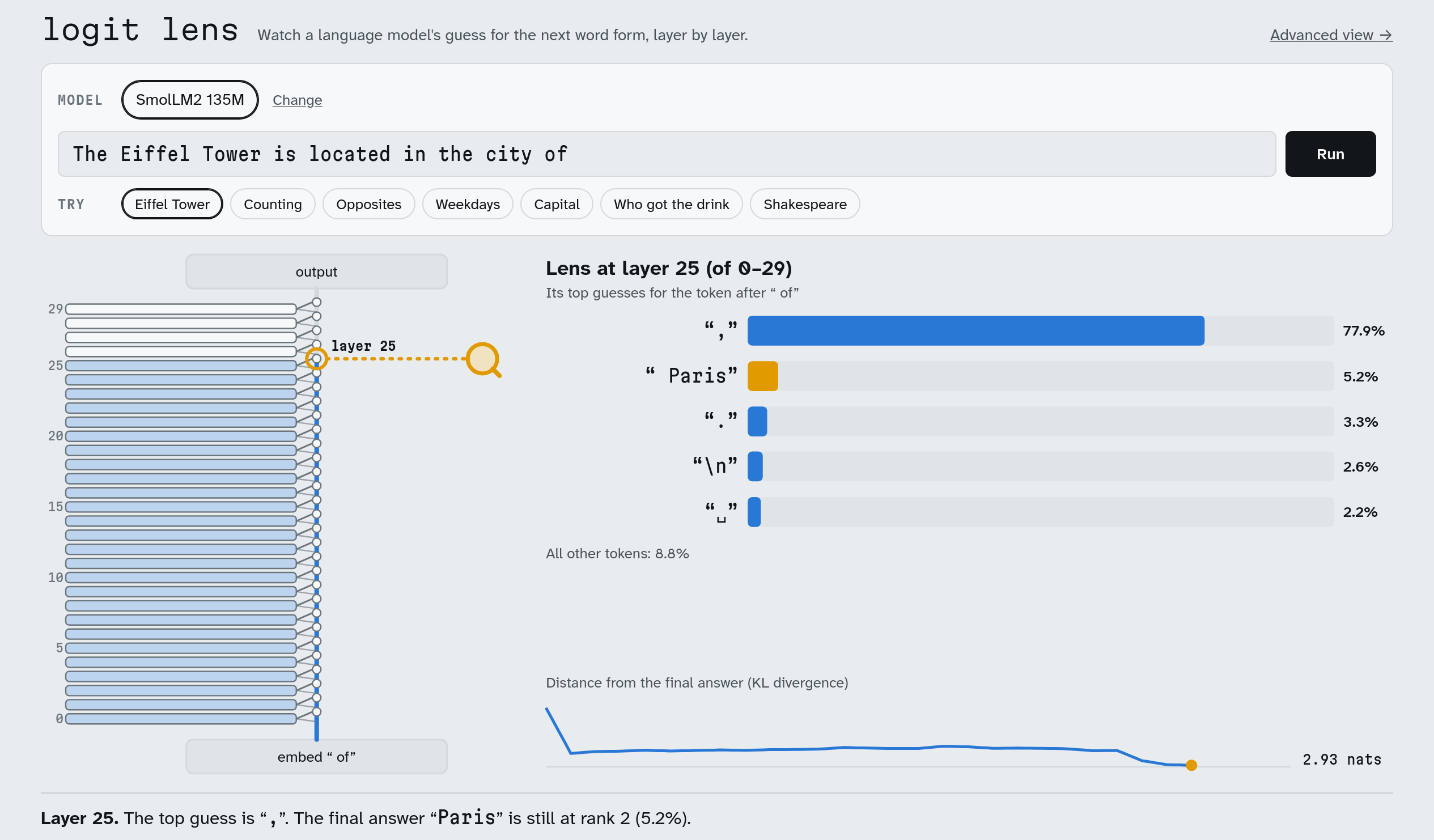
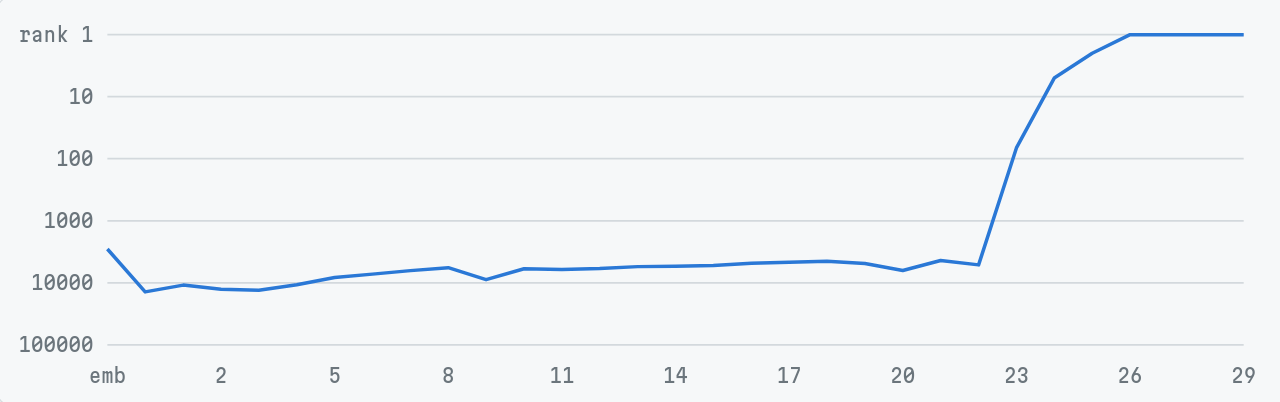
Pick a model, type a prompt or pick one of the examples, and press “Run”. Then watch how the model’s guess for the next token changes layer by layer. There is also a small curve that shows how far each layer still is from the final answer, and a caption explains what is going on.
Take “The Eiffel Tower is located in the city of” on SmolLM2:
The whole picture: the advanced view
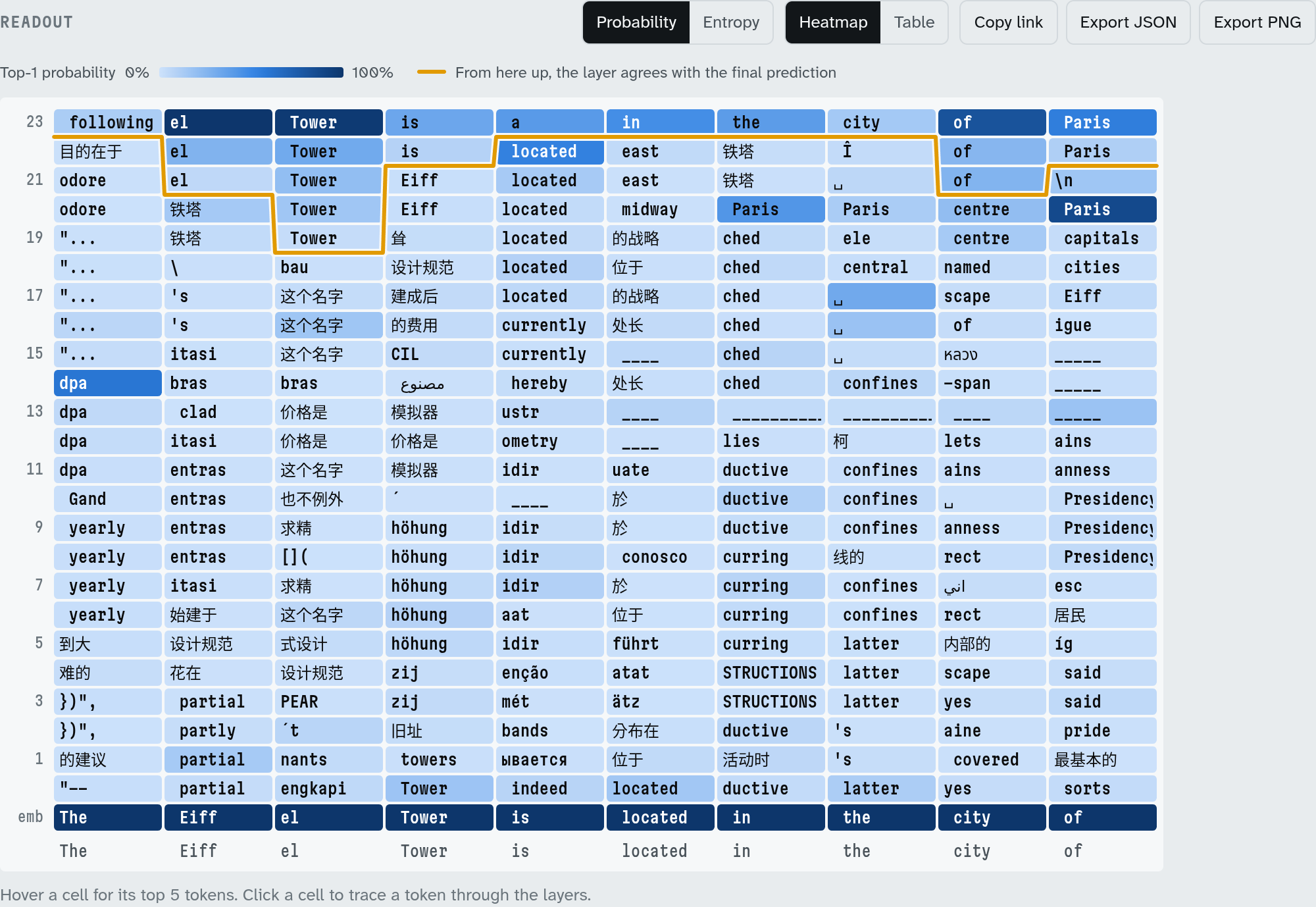
The animation follows only the last token of the prompt. The “Advanced view” link at the top shows all of them at once, as a heatmap.
It is not actually ChatGPT
ChatGPT’s weights are not public, so nobody outside OpenAI can look inside it. The website uses small open models built on the same technology (transformers), such as Qwen and SmolLM2. They have between a hundred million and a few billion parameters. ChatGPT is much larger, but it works on the same principle.
Everything runs on your computer
There is no server doing the work. The website downloads a model once and keeps it in your browser. You can even import your own local model as a GGUF file. Your prompts never leave your computer. Under the hood it uses llama.cpp, compiled to WebAssembly via wllama, with an extension that reads out every layer during a single pass through the model.
The code is on GitHub.